Help centre › Finding and sorting
The Sort tab
Give a why to everything you saved without one, one swipe at a time.
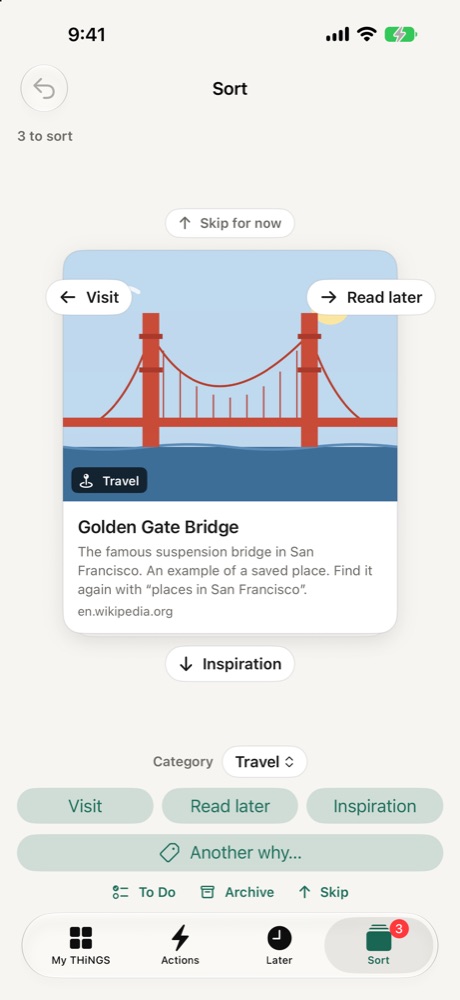
The Sort tab shows THiNGS that don't have a why yet, one card at a time. Your iPhone suggests the three likeliest whys.
- Swipe left, right or down for one of the three suggestions.
- Swipe up to skip. Skipped cards come back at the end.
- Tap Another why… under the suggestions for your full list, or To Do or Archive below it.
- Tap Category to change the category before you swipe.
- Undo is at the top left.
The top of the screen shows how many you sorted today and your streak of days in a row.